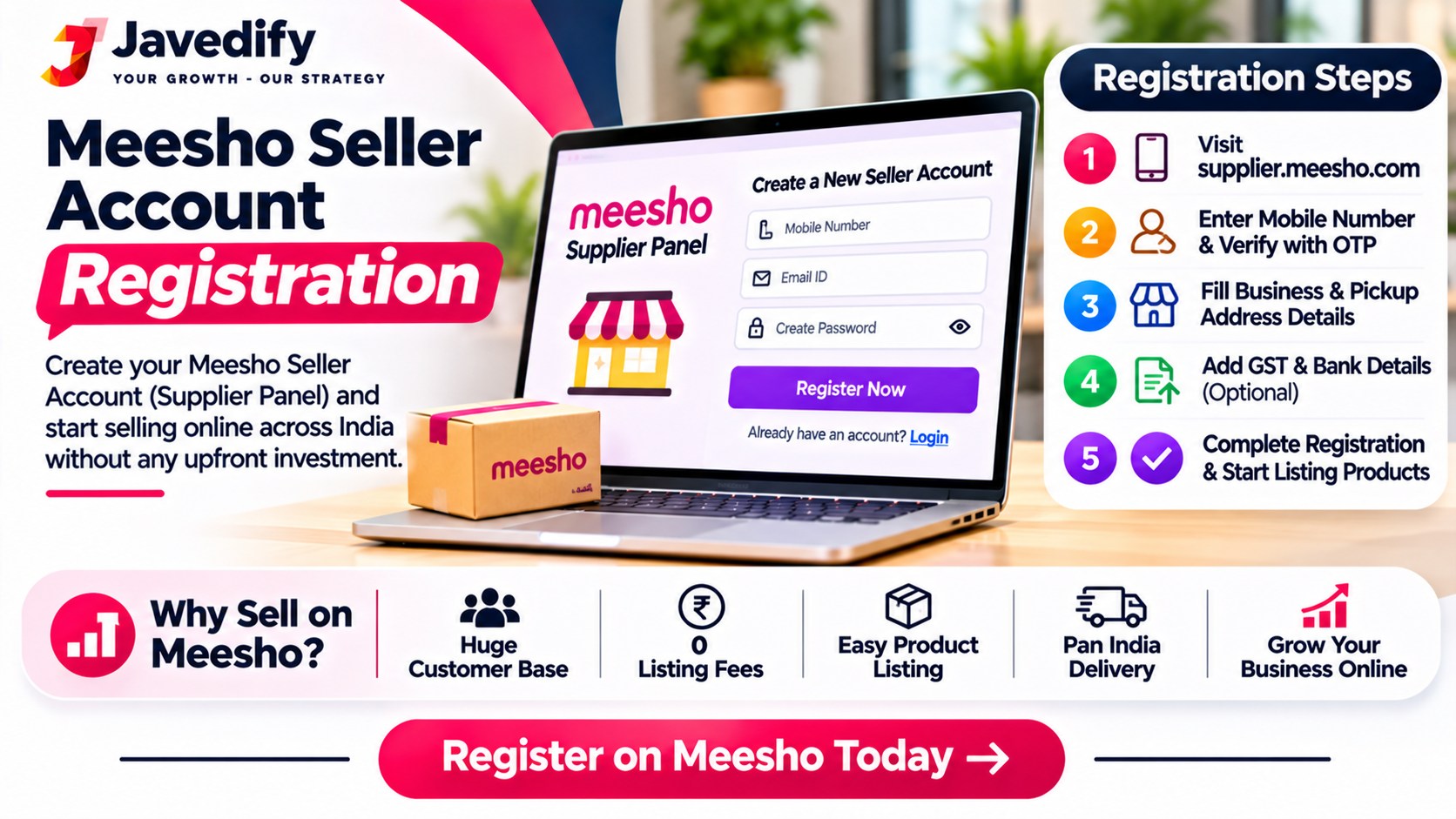
Meesho Seller Account Registration: How to Create and Open Your Account (2026)
By Javed, founder of Javedify, which helps sellers manage Amazon, Flipkart and Meesho accounts. Last updated November 2026.
Meesho seller account registration is free and takes about 10 to 15 minutes online. Whether you want to do a Meesho seller account create, a Meesho seller account open, or a full Meesho seller account registration, it is the same process: to create a Meesho seller account, open supplier.meesho.com, click "Start Selling", enter your mobile number and verify the OTP, then add your GSTIN (or take the no-GST route if you do not have one), your pickup address, bank details and store details. Once every step is complete, you reach your seller dashboard. Most delays come from small mistakes, such as a bank account name that does not match your PAN, so keep your documents ready before you start. It takes about 10 to 15 minutes if everything is ready.
This guide gives you the exact steps in order, the two paths (with GST and without), the documents to keep ready, the mistakes that delay approval, and what to do in your first week. Details were checked in November 2026 against third-party guides (iThink Logistics and LegalRaasta), because Meesho's own pages were not reachable for us. Those two guides disagree on whether GST is compulsory, so please confirm the current rule on the Meesho sign-up screen. We explain this below.
Meesho Seller Account Registration: Key Points in Short
- Start at supplier.meesho.com and click Start Selling. Type the address yourself to avoid fake pages.
- Keep ready: mobile number, email, PAN, bank account details and IFSC, pickup address, and GSTIN if you have one.
- The bank account name must match your PAN and the bank record, or approval can be delayed.
- Create only one account with the same details. One guide says duplicates can lead to suspension.
- Approval is said to take 1 to 2 business days when details are complete, per iThink Logistics. Timing can change.
Before You Start: Documents and Details to Keep Ready
What you needWhyMobile number and emailFor OTP and loginPAN (name, number, address)Identity; needed on the no-GST pathGSTIN (if you have one) or Enrolment ID/UINTax identity. See the GST section belowBank account number, account holder name, IFSCPayouts; name must match PAN and bankPickup addressWhere Meesho's courier collects your parcelsStore name, your full name, business typeSeller profileAddress proof, cancelled cheque or bank statementCommonly asked for in other guides; keep clear scans ready
Meesho Seller Account Create: Step by Step Registration
- Step 1: Open supplier.meesho.com and click "Start Selling".
- Step 2: Enter your mobile number and verify the OTP sent to it.
- Step 3: Add business details. Enter your GSTIN if you have one. If not, choose "No".
- Step 4: If you chose No, fill in the form with your name as per PAN, PAN number, email and address, submit it, and verify another OTP.
- Step 5: Check the auto-filled details (Enrolment ID/UIN, name, PAN and address) and click Continue. iThink Logistics says the Enrolment ID is also emailed to you.
- Step 6: Enter your pickup address, the place Meesho should collect products from.
- Step 7: Enter bank details: account number, account holder name and IFSC. Complete the captcha.
- Step 8: Add supplier details: store name, your full name, email and business type, then submit.
- Step 9: Reach your dashboard. Add your first products once your account is approved and active.
The Meesho seller app uses the same login. One guide says you can log in to the Meesho Supplier app with the same credentials, but does not describe creating an account in the app, so create it on the web and then use the app. Read our guide on Meesho seller account login app.
Is GST Compulsory for Meesho Seller Account Registration?
Here the sources disagree, and we want to be honest about it:
SourceWhat it saysiThink LogisticsYou can enter a GSTIN, or choose "No" and continue with an Enrolment ID/UIN created from your PAN detailsLegalRaasta (published June 2026, updated July 2026)A valid GSTIN is needed for taxable goods; only GST-exempt items can skip it. It does not mention an Enrolment ID
The rule depends on what you sell, your state and your turnover, and it can change. Meesho's own sign-up screen shows the current options, and a CA or tax advisor can tell you what applies to you. Do not guess. Read our guide on Meesho seller registration for more on GST and the Enrolment ID.
Meesho Seller Account Open: Same Process, Three Common Ways to Say It
Sellers search for this in different words: "Meesho seller account open", "Meesho seller account create" and "Meesho seller account registration". On Meesho they all lead to the same sign-up at supplier.meesho.com. If you are trying to open a Meesho seller account, use this quick route:
You want toDo thisOpen a new seller accountsupplier.meesho.com, then Start Selling, then mobile number and OTP, and complete the 9 steps aboveOpen the account you already madeLog in at supplier.meesho.com or in the seller app with your registered mobile number or email. Read our guide on Meesho seller account login appOpen the account without GSTChoose the "No" option and continue with an Enrolment ID, if the sign-up screen offers it. Rules differ by seller, so confirm on screenOpen the account on your phoneUse the browser on your phone for sign-up, then log in on the seller app. Check the app for current options
Also note: opening a Meesho seller account is free according to the guides we checked, so do not pay anyone who offers to open it for you, and never share your OTP.
Mistakes That Delay or Break a New Meesho Account
- Bank name does not match PAN. The most common avoidable error.
- Typing mistakes in PAN, GSTIN or IFSC. Copy from your documents.
- Different name or address across documents. Small spelling or format differences can be flagged.
- Creating more than one account with the same details. One guide says this can lead to suspension.
- Choosing a store name in a hurry. Changing it later may need Meesho support.
- Using a phone or email you cannot access. You need them for OTP and login.
- Sharing your OTP or password with an "agent". Never do this.
- Falling for fake sign-up pages or paid "account creation" agents who ask for money or your OTP. Guides say sellers pay no commission, but check current policy yourself.
What to Do After Your Meesho Seller Account Is Created
- Check your dashboard and profile and confirm every detail is correct.
- List 5 to 7 products with clear, bright photos on a plain background and complete details. iThink Logistics says up to 4 images are allowed per product, while another guide says up to 7. Check your panel.
- Write clear titles with product type, audience and key quality.
- Set stock per size and colour and price with shipping and returns in mind.
- Dispatch within 24 hours when orders come in.
- Track returns and ratings every week and fix the causes.
For the next steps, read our guides on Meesho seller new account, how to sell on Meesho and how to start a business on Meesho.
Want Help Setting Up and Running Your Meesho Account?
Registering and opening the account is step one. Getting orders, controlling returns and keeping your account healthy is the real work. Javedify offers Meesho account management from ₹2,900 a month for up to 100 SKUs. Before you decide anything, ask for a free account audit at info@javedify.com. We will tell you honestly what to fix, even if you never hire us. We cannot promise a number of orders, because results depend on your product, price and market. You can also message us on WhatsApp or call +91 89284 87610.
Meesho Seller Account Create: Frequently Asked Questions
What is Meesho seller account registration?
It is the process of signing up as a seller at supplier.meesho.com by verifying your mobile number and adding your tax, pickup, bank and store details. Creating and opening an account both mean this same registration.
How do I open a Meesho seller account?
Go to supplier.meesho.com, click Start Selling, verify your mobile number with an OTP and complete the steps. If you already have an account, log in with your registered number or email.
Is Meesho seller account open and Meesho seller account create the same?
Yes. They are different words for the same sign-up. There is no separate process for opening and creating.
How do I create a seller account on Meesho?
Go to supplier.meesho.com, click Start Selling, verify your mobile number with an OTP, add your tax, pickup, bank and store details, and submit.
Is it free to create a Meesho seller account?
Guides say creating the account and selling cost no sign-up fee and zero commission, but you still pay shipping, return and other costs. Check Meesho's current terms, and be careful of anyone asking you for money to create the account.
How long does it take to create a Meesho seller account?
The form takes roughly 10 to 15 minutes if your documents are ready. iThink Logistics says approval usually takes 1 to 2 business days.
Can I create a Meesho seller account without GST?
One guide says yes, using the no-GST option and an Enrolment ID, while another says a GSTIN is required for taxable goods. Check the current options on Meesho's sign-up screen.
Can I create a Meesho seller account on my mobile?
You can open supplier.meesho.com on your phone browser. The guides we checked describe sign-up on the web and login on the app. Check the app for the current options.
Can I create two Meesho seller accounts?
One guide warns that multiple accounts with the same details can lead to suspension. Follow Meesho's current policy.
Why is my Meesho seller account not getting approved?
Usually because of mismatched or incorrect details, such as the bank name not matching PAN. Fix the details and check your panel for messages.
What is the Meesho Enrolment ID?
It is an ID that Meesho's flow can create from your PAN details for sellers without GST. iThink Logistics says it is also emailed to you. Read our guide on Meesho seller registration.
Which bank account should I use?
Use an Indian bank account where the account holder name matches your PAN and the bank record.
Can I change my store name later?
One guide says changing it later may need Meesho support, so choose carefully.
Can someone create the account for me?
You can ask a trusted person for help, but never share your OTP or password with strangers, and make sure the account is in your own name and under your control.
Can Javedify check my new Meesho account?
Yes. Email info@javedify.com for a free account audit. Our Meesho account management starts from ₹2,900 a month for up to 100 SKUs.
Get Your Meesho Account Right with Javedify
Email info@javedify.com for a free account audit, message us on WhatsApp, call +91 89284 87610 or visit our Meesho service page. See javedify.com for all services.